Create and launch campaigns
This is where you build a one-off email campaign and choose when it should go out.
Create the campaign
- Open Campaigns.
- Choose the recipients.
- Use all clients with email when the message applies broadly.
- Use saved segments when you want one or more reusable automatic or custom lists.
- Use selected customers when the message should go to a one-time group.
- If you use selected customers or saved segments, keep the final send within the 500-recipient limit.
- Browse templates or start a blank email.
- Enter the campaign name, template name, subject, and preheader.
- Compose the message in Template Studio.
- Preview the rendered email and send a test email when needed.
- Continue to review the campaign before sending or scheduling.
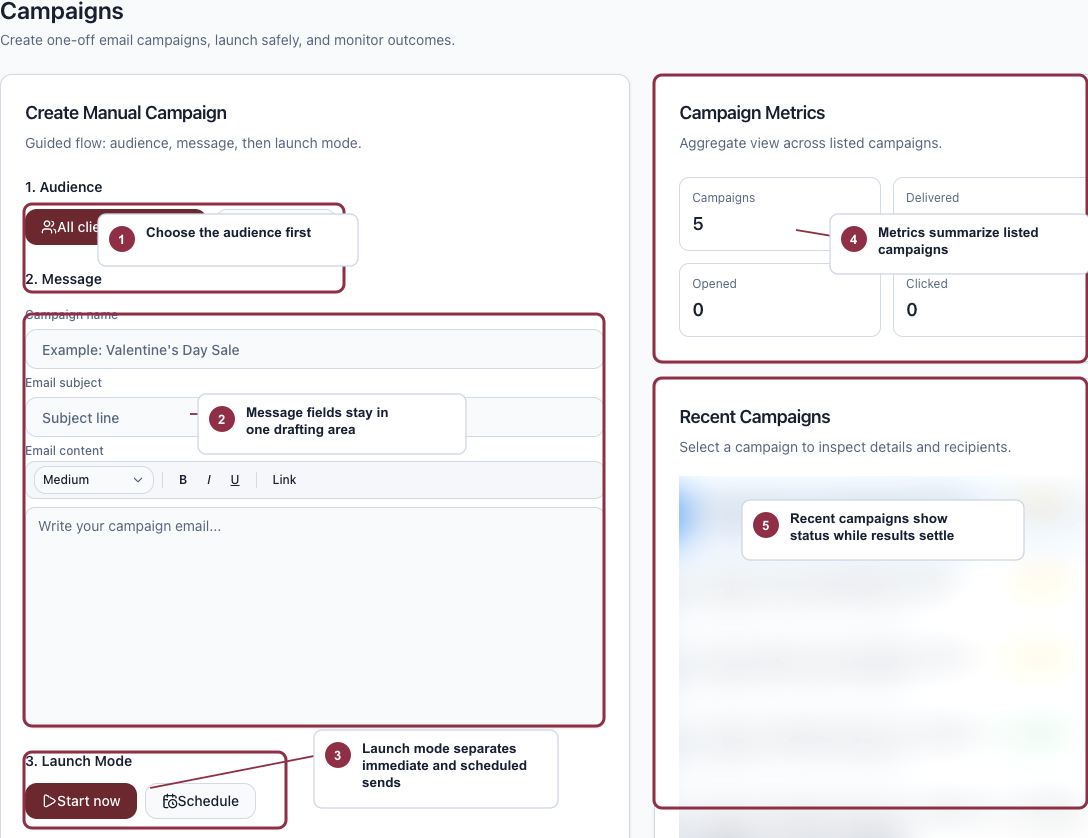
Name the campaign, then choose the starting path that matches how much design and recipient control you need.
- Give the campaign a name your team will recognize in history.
- Choose a template or start from scratch when you need full design and recipient control.
- Use quick send for a simple message to every eligible client.
Choose the right recipients
- All clients with email is best for broad announcements.
- Segments is best when you want to reuse automatic Mimbbo groups or custom lists created in Segments.
- Selected customers is best for one-off sends where you do not need to save the group.
Segments are resolved when the campaign starts. If you select more than one segment, Mimbbo includes overlapping clients once and skips recipients who do not have a usable email or have opted out of that campaign.
Choose when to send
- Continue from Template Studio to the review step.
- Choose Send now if you want the campaign to begin at the next allowed time.
- Choose Schedule if you want it to go out later.
- If you schedule the send, enter the local date and time.
Campaigns send only during the outreach hours in Settings > Messaging. A time outside that window moves to the next opening. The campaign shows Waiting for outreach hours and its next send time; it is not discarded and does not use a delivery retry while it waits. Mimbbo checks the current campaign status and customer preferences again before release.
Manage a draft after creation
- Start a draft when it is ready to send.
- Schedule a draft when timing matters more than speed.
- Cancel a draft or scheduled campaign if the plan changes before send time.
Use templates while composing
- Use Browse templates to choose a Mimbbo template with a real email preview.
- Use Start blank email to build a block template from scratch.
- Use Brand or Edits to apply Brand Kit values.
- Use Assets to choose existing template, service, and gallery images.
- Save the template when you want to reuse the design later.
Read Use templates and assets for the full template workflow.
What can block launch
- Campaign name is required.
- Email subject is required.
- Email body is required.
- A selected customer list must include at least one recipient.
- A segment campaign must include at least one segment.
- Scheduled sends require a date and time.