Read client profiles
Client profiles combine contact information, booking history, value signals, and Intelligence so you can decide what to do next.
Find the right clients
- Open Clients.
- Search when you know the client name or email.
- Filter by segment, value tier, health state, or booking state.
- Export the filtered list when you need to review it outside Mimbbo.
The list shows health states such as Healthy, Needs attention, and At risk. These labels help prioritize outreach, but they should be used with the client’s actual history and your judgment.
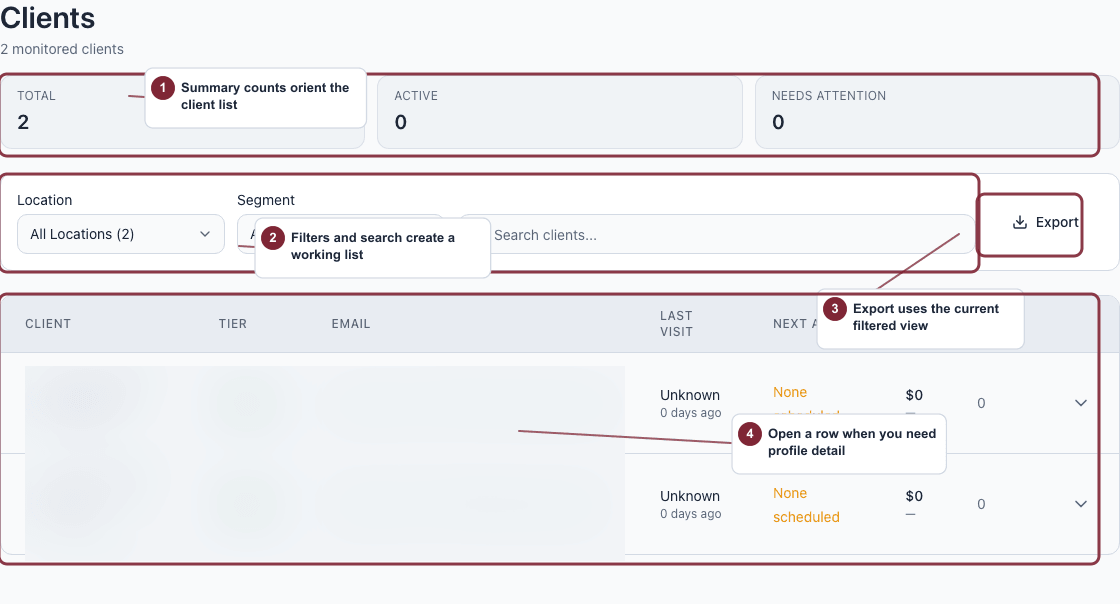
Use the client list to narrow the people who need attention before opening a full profile.
- Search when you already know the client.
- Add filters when you are working a broader group.
- Read attention, visit, and value context before opening the record.
Read the full profile
- Open the client profile from the list.
- Review contact details and high-level status.
- Review metrics such as lifetime value, visit count, average ticket, last visit, and next appointment.
- Review marketing and messaging profile details before outreach.
- Check service history and notes.
Use Intelligence on the profile
Intelligence can show:
- The client’s current journey, with a link to the full journey timeline.
- The journey status, current step, and reason summary.
- Estimated monthly and annual value.
- Revenue already realized from the journey.
- The next planned Mimbbo step.
- Recent Mimbbo signals and outreach attempts.
Use these details to understand why Mimbbo is surfacing the client and whether manual follow-up makes sense.
Open the journey name when you need to see every planned outreach step, other clients currently in the same journey, and the messages Mimbbo has already sent for them.
Pause or resume automated campaigns for one client
The automated campaigns control on a client profile affects that client only.
- Enabled means Mimbbo can continue the client’s automatic journey outreach.
- Paused means Mimbbo stops future automatic journey outreach until you turn it back on.
Pausing automation does not delete the client record or remove past activity. It only changes future automated outreach for that client.